SPECIFICATIONS
-
Transmit Power 19.5 dBm / 89 mW
-
Range 20 meters
-
Bandwidth 32 bytes / 30 seconds
-
WPA2 Enterprise Auth PEAP-MSCHAPv2
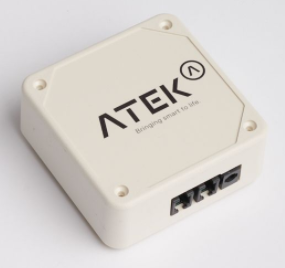
The transmitter natively supports WIFI.
For a hassle-free integration, the customer must comply with the IT requirements and provide the following information to allow our team to pre-configure the transmitters for your network.
WPA2 Enterprise 802.1X
-
SSID
-
Username
-
Password
WPA2 Personal
-
Username
-
Password
These login details will then be inserted into the automatic configuration tools for your organization and are not visible to ATEK employees.
If the customer wishes to insert their configurations themselves into the transmitter, they must refer to the WIFI configuration procedure in this guide.
CONFIGURATION
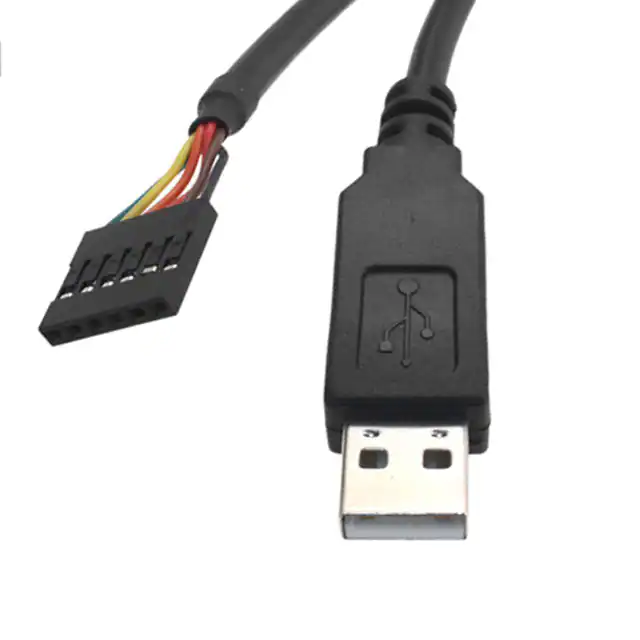
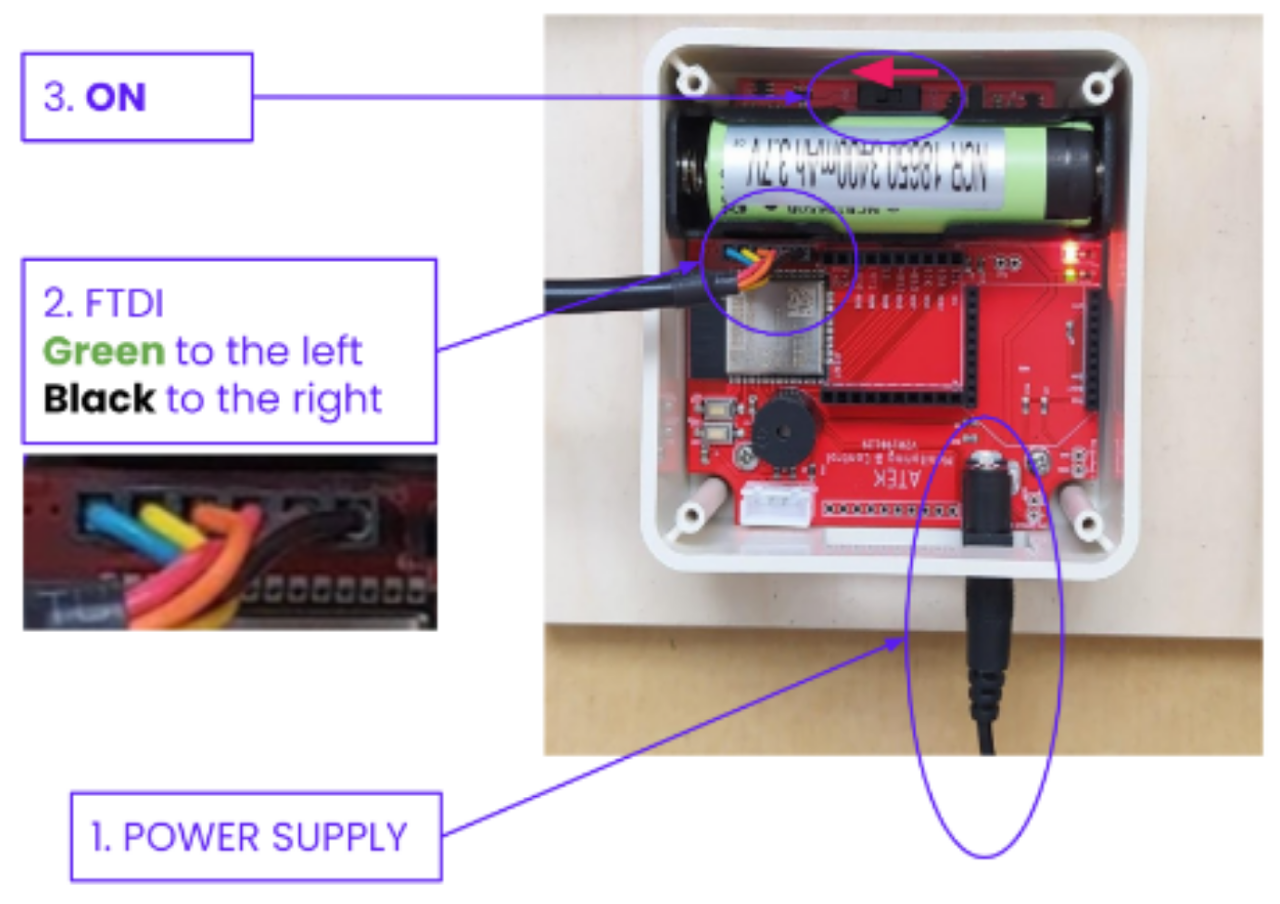
Connect the FTDI cable from your computer to the transmitter
FTDI cable: TTL-232R-3V3
TTL-232R-3V3 FTDI, Future Technology Devices International Ltd | Cable Assemblies | DigiKey
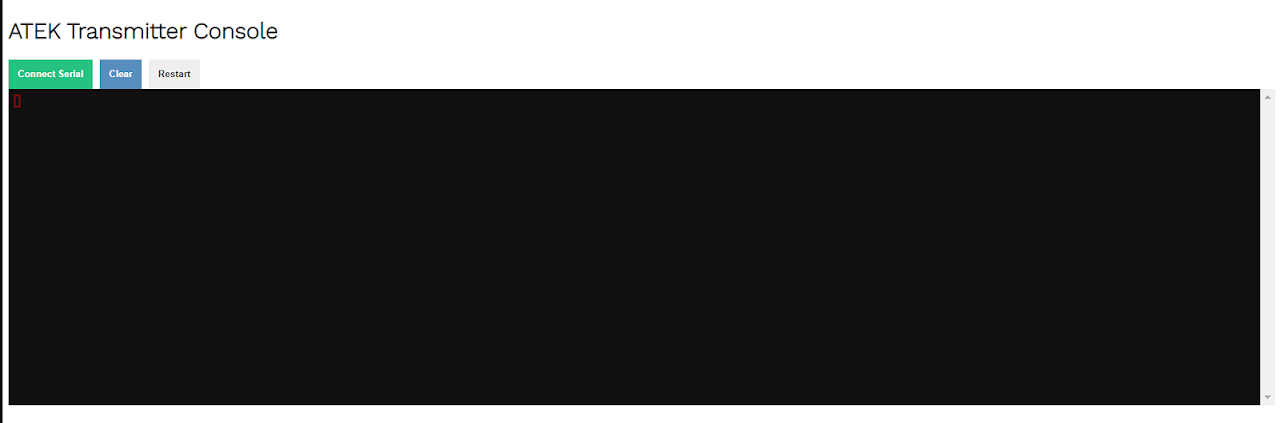
Open the console in ATEK Platform
ATEK → Menu → Administration → Transmitter → Console
COMMON COMMANDS
Commands to enter in the console to configure WIFI
wifi ssid “MySSID”
wifi pass “MyPassword”
wifi user “”
wifi id “”
reboot
Command for sending data using HTTP rather than UDP.
(Consumes more data on cell phone)
wifi http 1
Commandes pour valider l’enregistrement des configurations WIFI
wifi ssid
wifi pass
wifi user
wifi id
Commands to validate HTTP usage
wifi http
Other commands
logoutput info Enables the display of activity logs on the console
logoutput none Disables the display of activity logs on the console
mac S how mac
DATA FLOW
The transmitter initiates the connection and data transfer to the ATEK platform.
The platform returns a confirmation response to the transmitter.
No direct access to the transmitters is possible.
No entry rules are necessary. Communications are outgoing only.
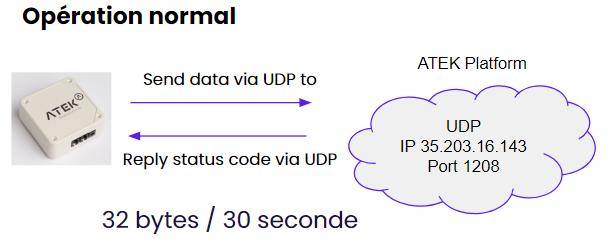
The status code, returned by the platform in its response, informs the transmitter of the availability of updates to its configurations or firmware.
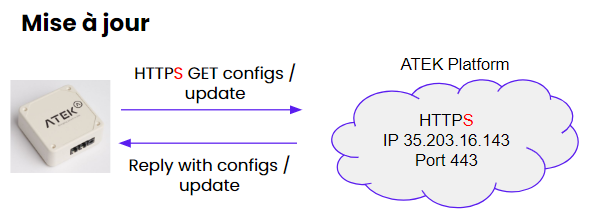
In case configurations or an update are available, the transmitter sends an HTTPS GET request to our API to retrieve the update or configurations.
Updates take place when alarm thresholds change, calibration or when features are added
SSL inspection should be disabled for these connections.
IT REQUIREMENTS
Here are the IPs and ports to decompartmentalize or whitelist for the proper functioning of ATEK devices and services.
Destination
IPv4 IP: 35.203.16.143
URL: api.atek.io
URL: udp2.atek.io
Ports
TCP 80 HTTP
TCP 443 HTTPS
UDP 1208 ATEK
UDP 5683 COAP
TCP 5684 COAPS
TCP 1883 MQTT
TCP 8883 MQTTS
Make sure the IPs and ports shown above are open and accessible from your IT infrastructure.
-
No entry rules are necessary.
-
Communications are outgoing only.
-
The transmitters do not communicate with each other;
-
SSL inspection should be disabled for these connections.
-
Transmitters do not support http proxies.
-
Make sure your IP address range is large enough for the number of transmitters on your network;
-
The “WLAN Idle Timeout” must be greater than 1800 seconds (30 minutes) for transmitters operating on batteries