Change the transmission interval on battery
This guide allows you to change the time interval after which data is sent when the transmitter is operating on battery power.
To do this, follow the steps below:
-
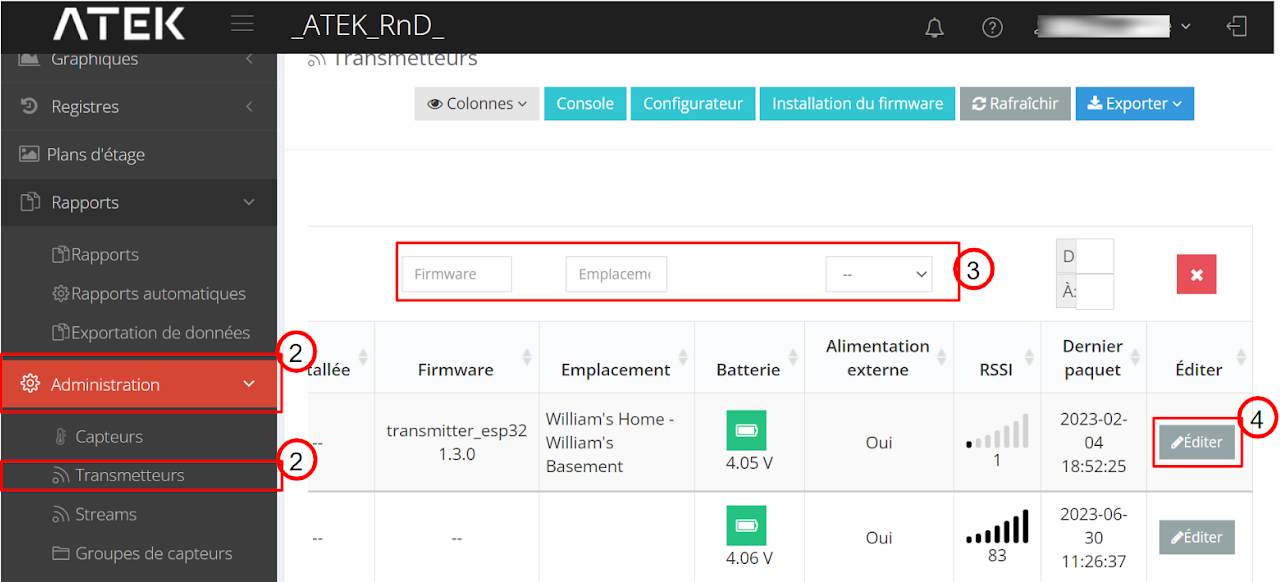
Click on “Administrator” then on “Transmitters”
-
Find your transmitter
-
Scroll the window to the right and click “Edit”
5. Scroll down and enter the desired time in seconds in the “Transmission interval (on battery)” field.
6. Click on “Send configs” and then on “Save”
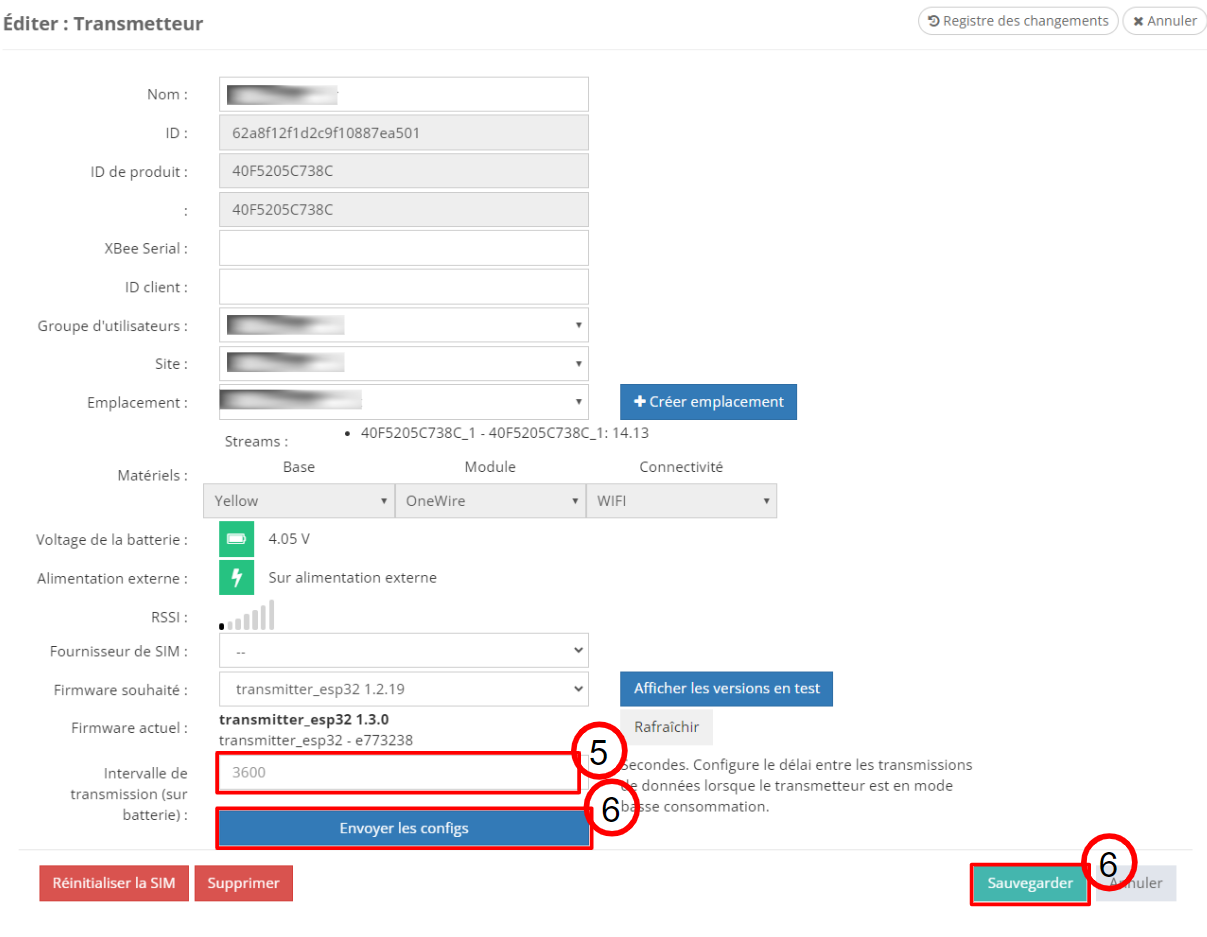
Important: the configuration will be applied when sending the next data from the transmitter to the platform.
Imported from Google Sites.