Startup
-
Press the button for 5 seconds
-
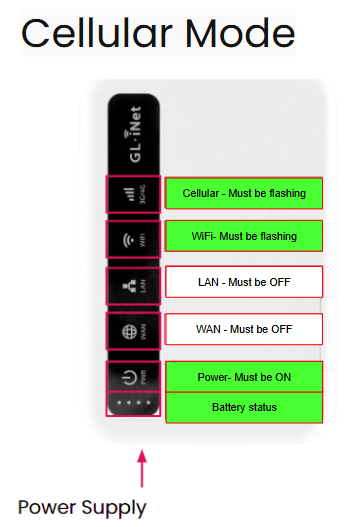
Immediately PWR
-
30 seconds WIFI
-
30 seconds 3G/4G
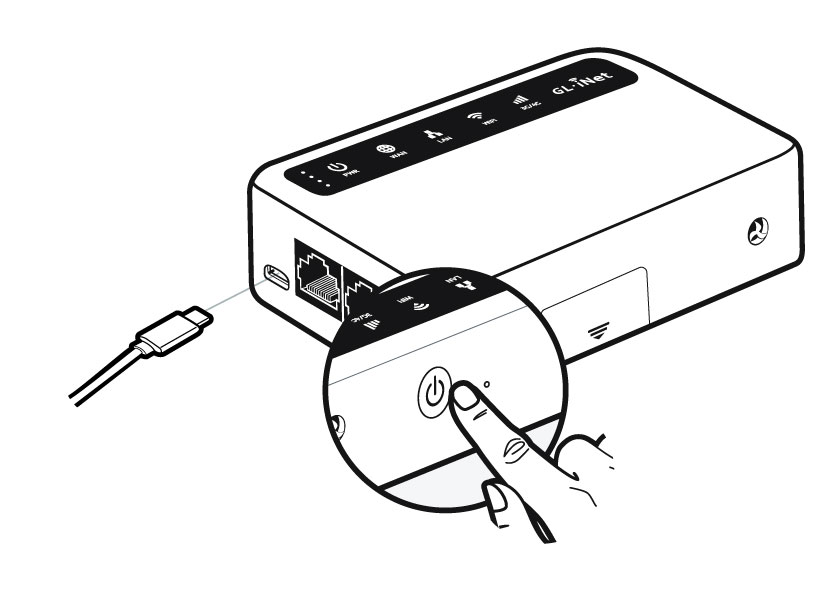
Turn off
-
Press the button for 5 seconds
-
Only the small dot on the battery status should remain lit
Imported from Google Sites.
ATEK Docs
Startup Press the button for 5 seconds Immediately PWR 30 seconds WIFI 30 seconds 3G/4G
Press the button for 5 seconds
Immediately PWR
30 seconds WIFI
30 seconds 3G/4G
Press the button for 5 seconds
Only the small dot on the battery status should remain lit