-
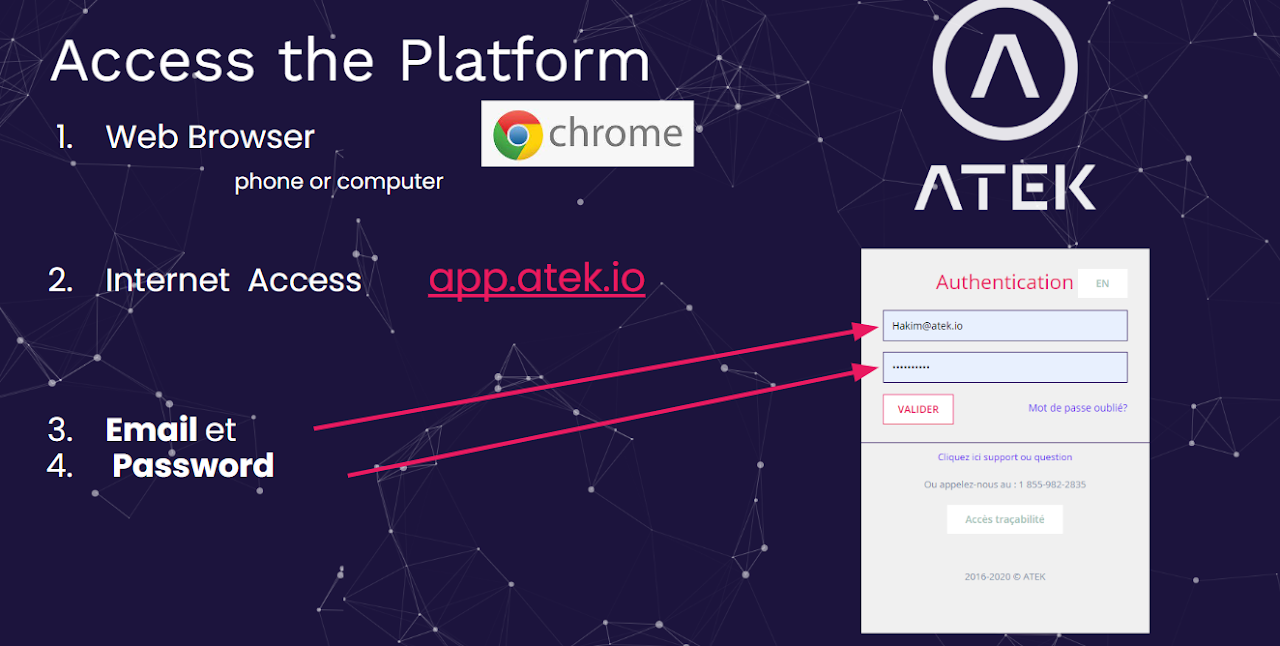
From a Phone or Computer
-
Use an internet browser (Chrome)
-
Go to url: https://app.atek.io
-
Insert Email and Password
-
Click Validate
Reset your password
-
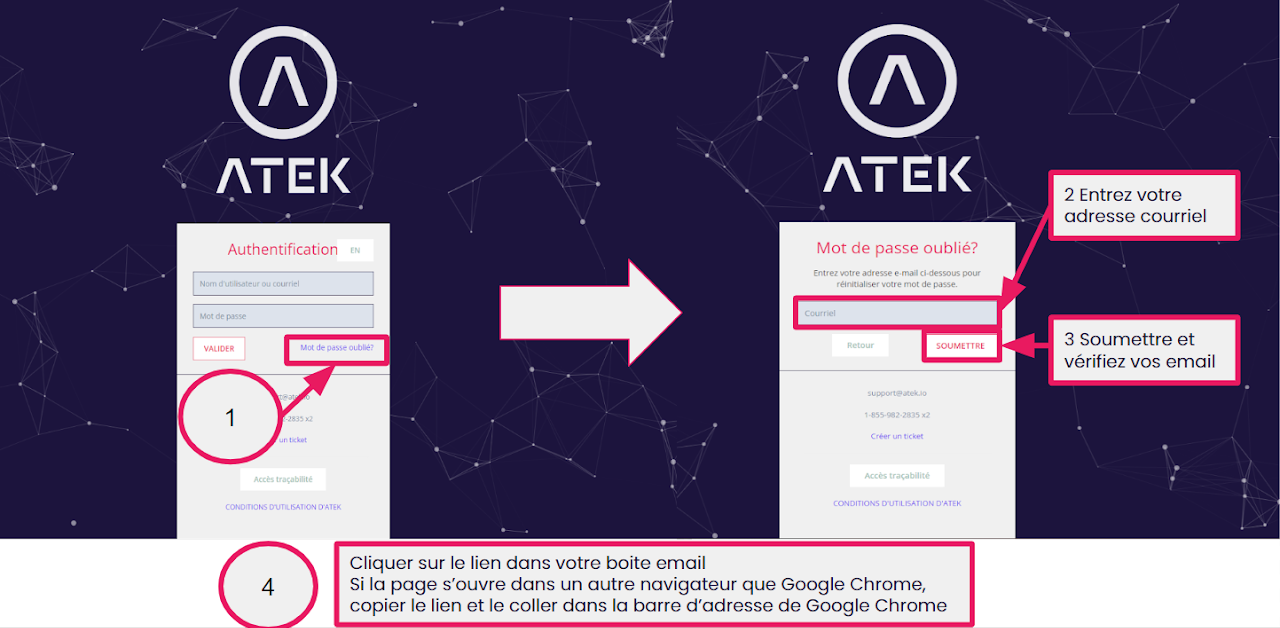
Click “Forgotten password”
-
Insert your email
-
Click submit
-
Go to your email box
-
Check spam
-
Email link will expire within 30 minutes
-
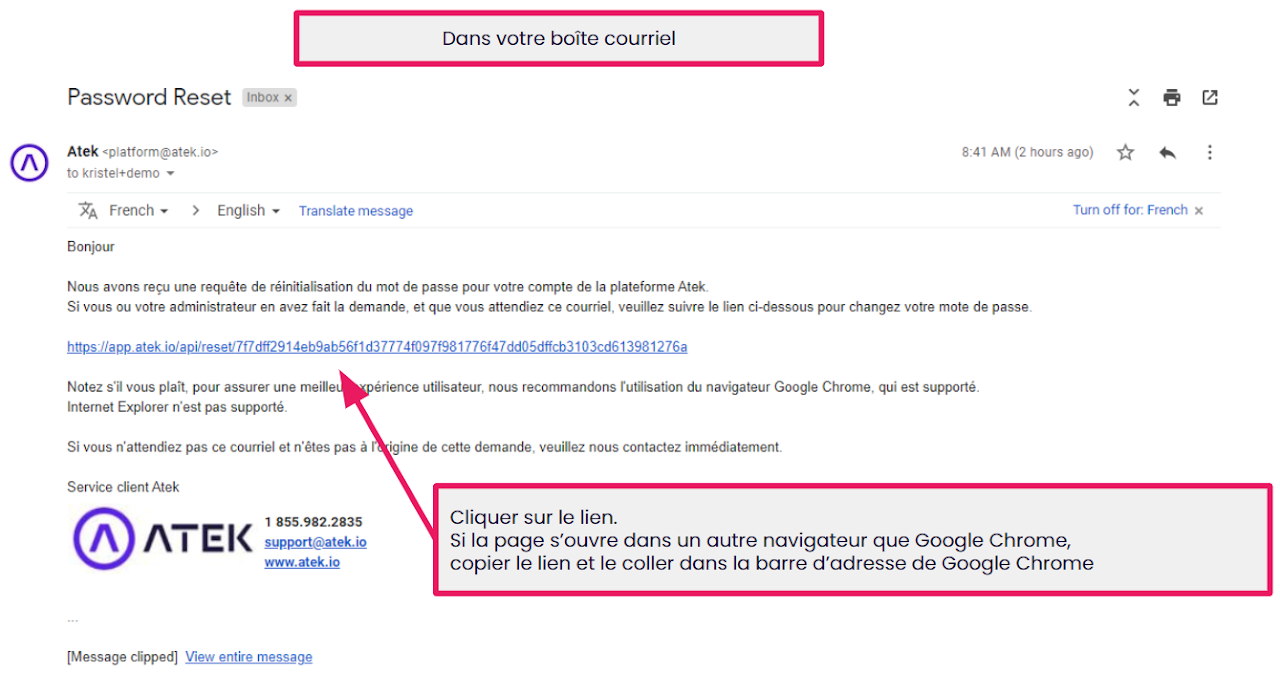
In your email box
- Follow the hyperlink
WARNING Internet Explorer is not supported
If you can’t find the email, check your spam box
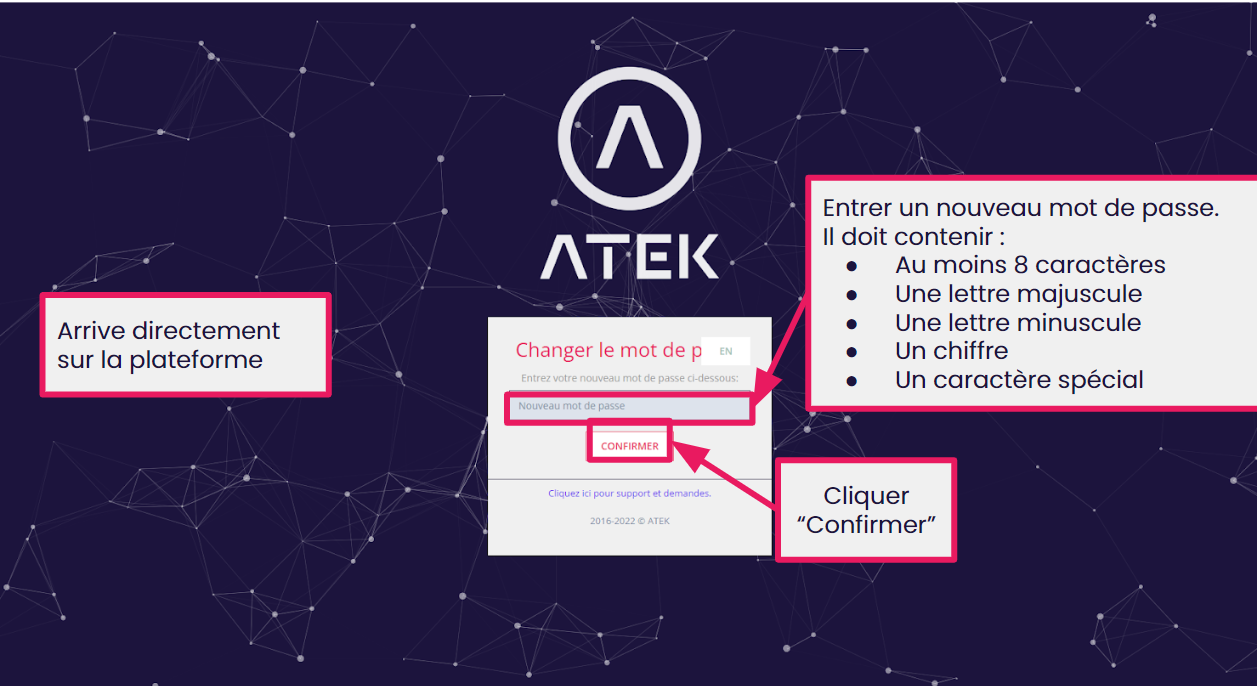
In the hyperlink page,
Enter a new password containing
-
At least 8 characters
-
A capital letter
-
A small letter
-
A number
-
A special character
Click confirm, you will be redirected to the dashboard
Imported from Google Sites.