Replace a transmitter
This guide suggests an approach to adopt when replacing a transmitter. Once a new transmitter has been sent by ATEK, follow the steps below to replace the old one:
-
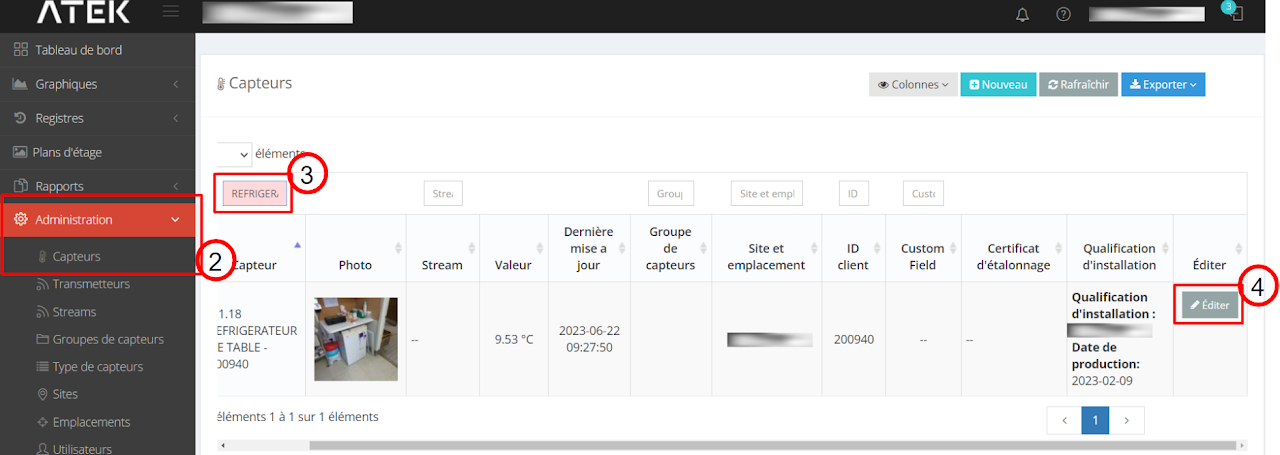
Click on “Administration” then on “ Sensors ”
-
Search for the name of your equipment
-
Scroll the window to the right then click on “Edit”
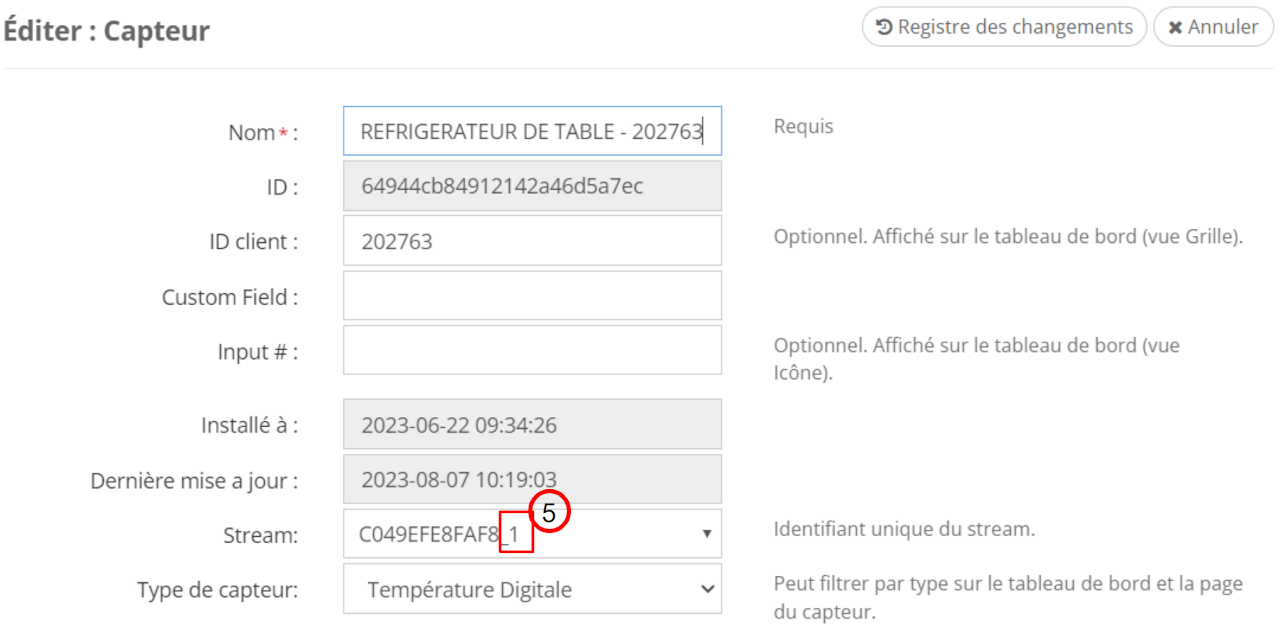
5. In the stream field, note the number at the end of the stream name
6. Change your sensor stream to the new stream
-
- The name of the new stream consists of the MAC address of the new transmitter followed by an “ _ ” and a number found at the end of the name of the old stream (the number noted in point 5)
7. Click on “Save”
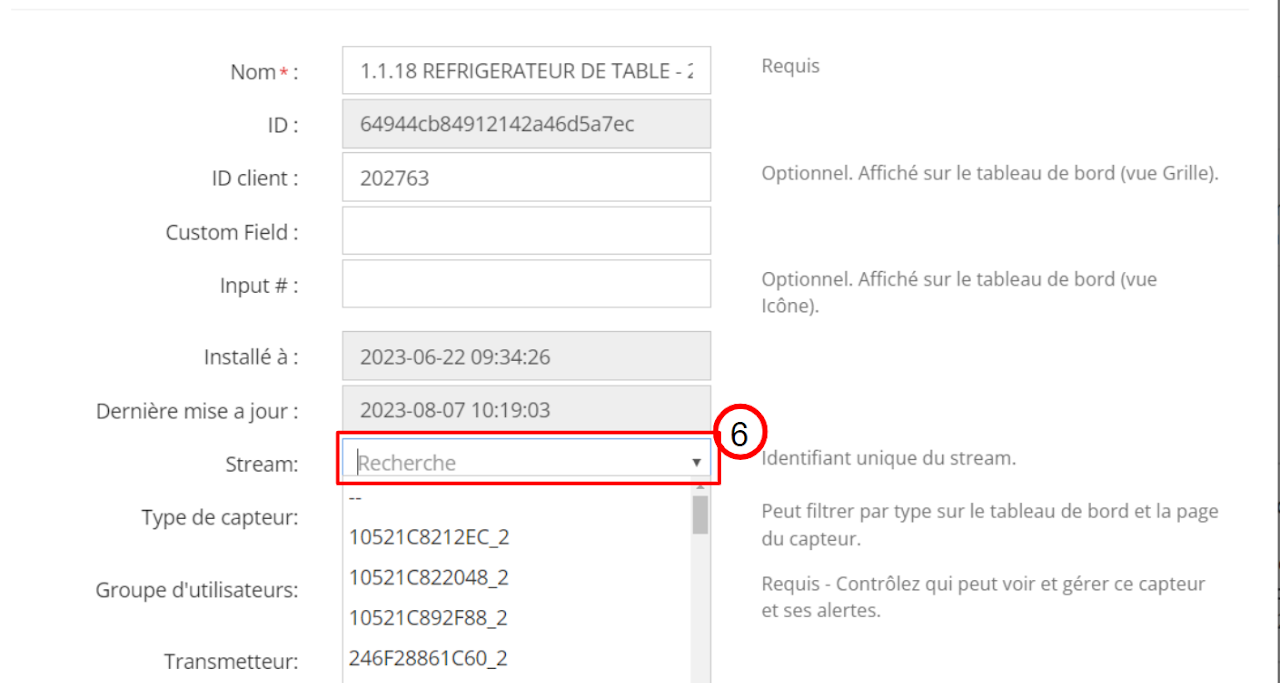
Important: If you can’t find your stream in the drop-down list, follow the steps below to make it appear: Make a stream available
Imported from Google Sites.