The notifications register allows you to see the list of notifications that is programmed when an alert is opened.
It also allows you to check the order of scheduled notifications as well as the status of the notification. That is to say, one can check whether a scheduled notification has been sent from the ATEK platform.
A.2 Access the Notification Register
B. Access from the Registers Section
B.1 Access the Alerts Register
A.2 Access the Notification Register
A. Access from the Dashboard
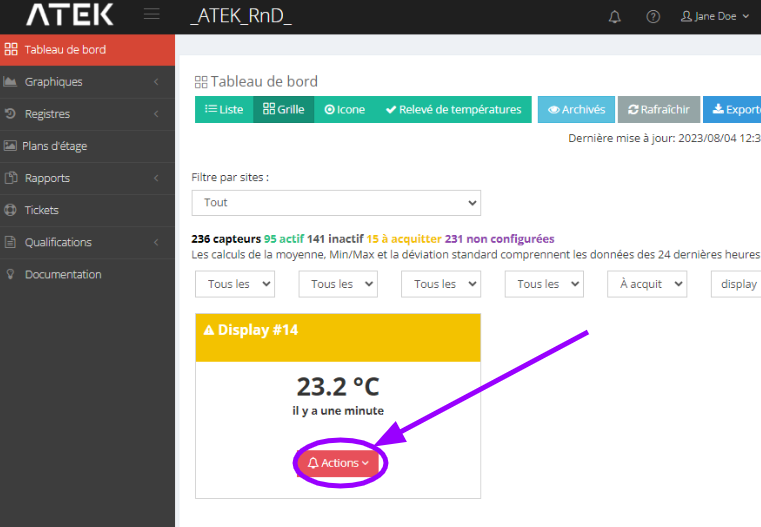
A.1 Access alert management
- Select the desired sensor and click on Actions > Manage alerts
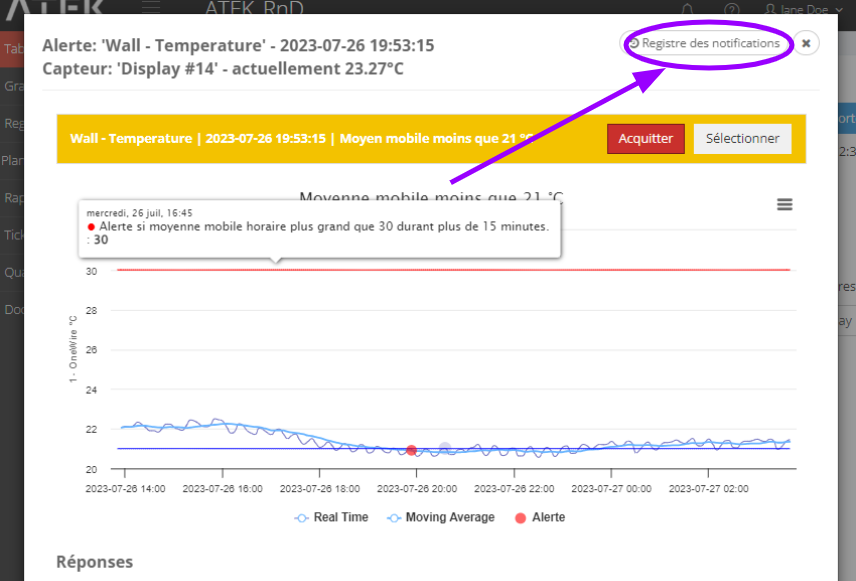
A.2 Access the Notification Register
- Click on Notification register
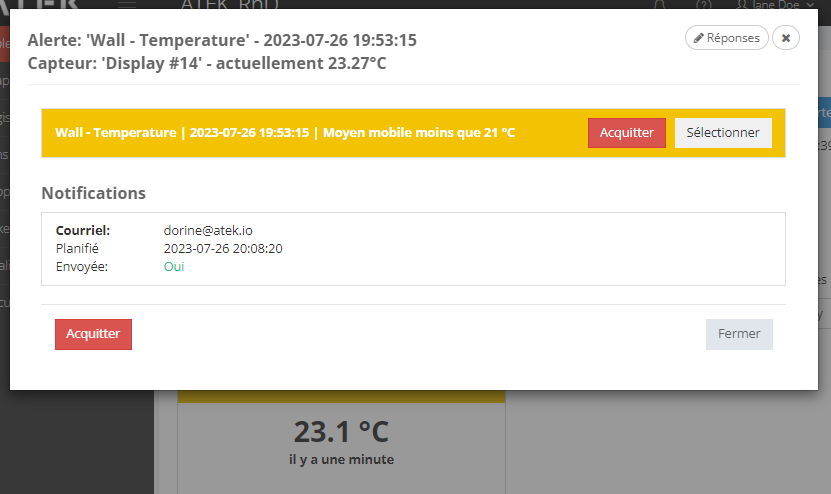
Under Notifications : the list of notifications scheduled following the protocol associated with the notification condition is indicated.
The Sent field indicates:
- Yes
-> The notification was successfully sent from our services (email: check spam folder).
- No
-> The cause of non-notification is also indicated.
B. Access from the Registers Section
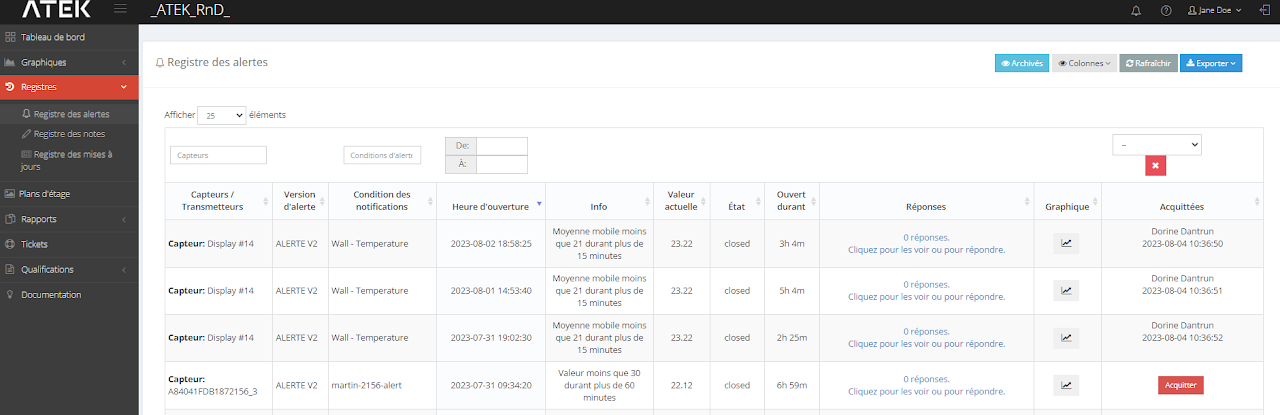
B.1 Access the Alerts Register
B.1.1 From the left column: click on Registers > Alert register
B.1.2 Use filters to find the desired device and alert
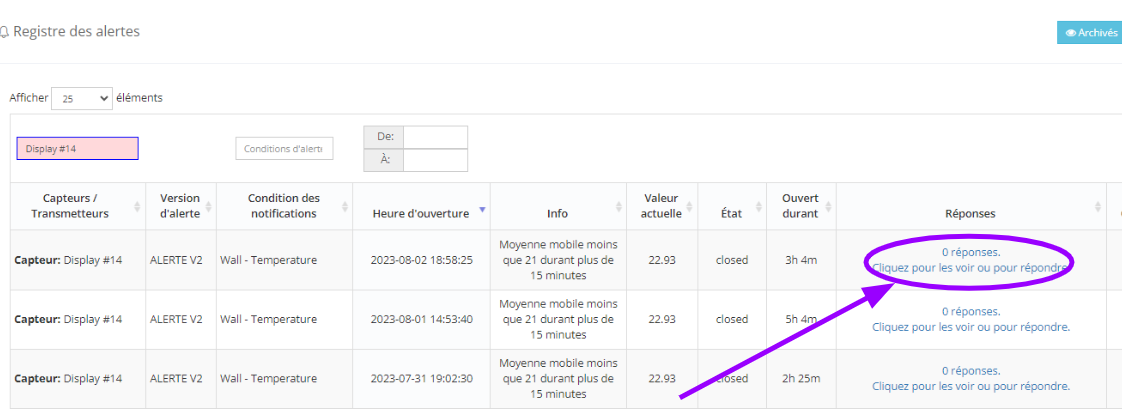
B.2 Access alert management
- Click under the Answers column on “Click to see them or to respond.”
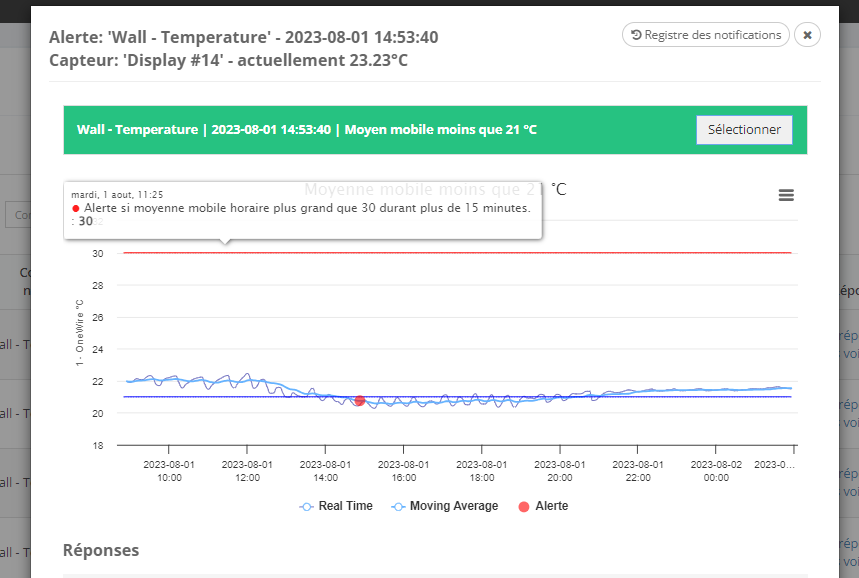
A.2 Access the Notification Register
- Click on Notification register
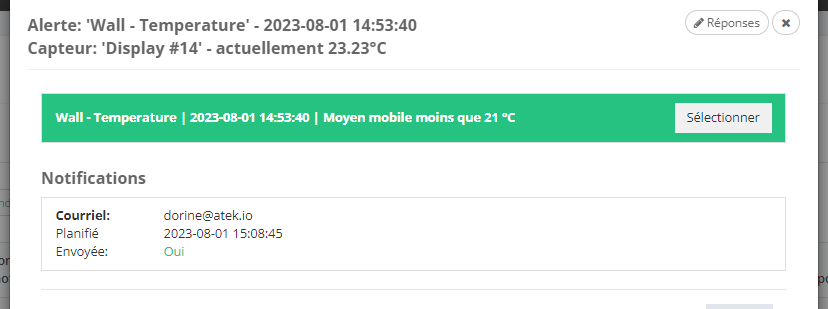
Under Notifications : the list of notifications scheduled following the protocol associated with the notification condition is indicated.
The Sent field indicates:
- Yes
-> The notification was successfully sent from our services (email: check spam folder).
- No
-> The cause of non-notification is also indicated.