This procedure allows access to the certificates associated with a sensor (to save a report, printout or consultation).
Two types of certificate exist :
Calibration certificate
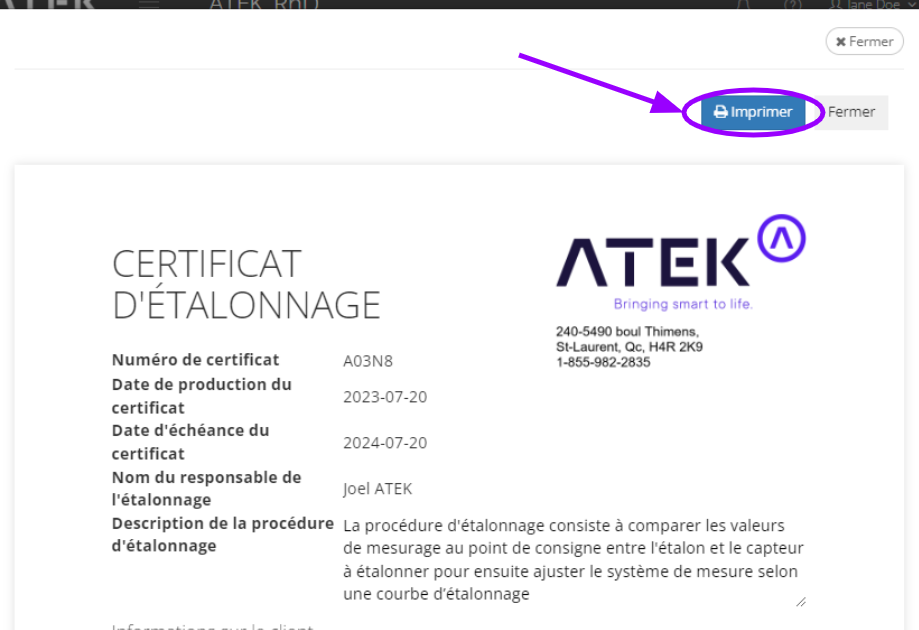
This certificate presents the parameters used for the calibration of a probe on site or in the laboratory. It details the method used, the results applied as well as the calibrated sensor.
Installation certificate
This certificate presents the installation information of the ATEK device on the equipment on the date of installation. It is used by our team to ensure the compliance of an installation.
Method 3: Administration -> Sensor
Method 1: Dashboard
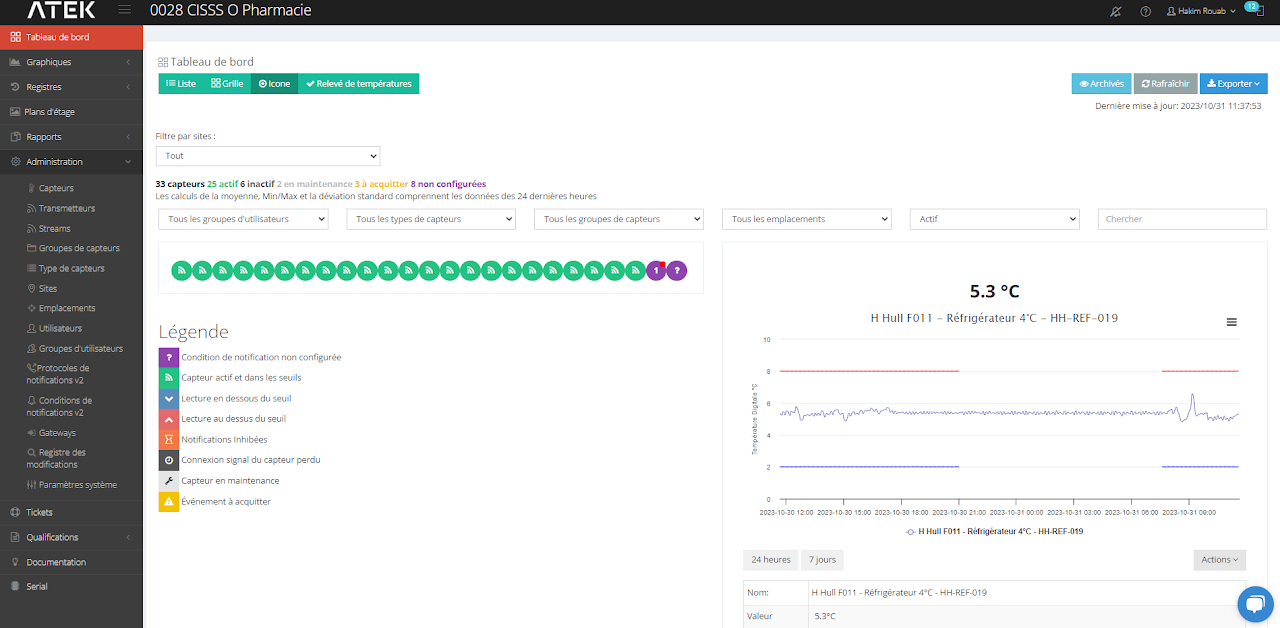
Dashboard: Icon View
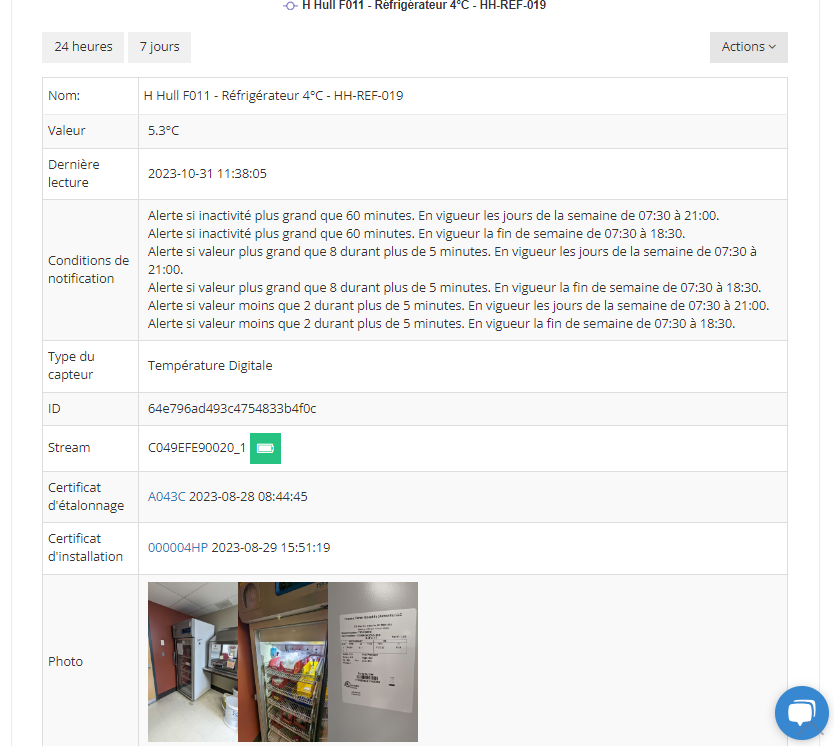
In the table of the selected sensor you will find the certificates
Méthode 2 : Graphiques
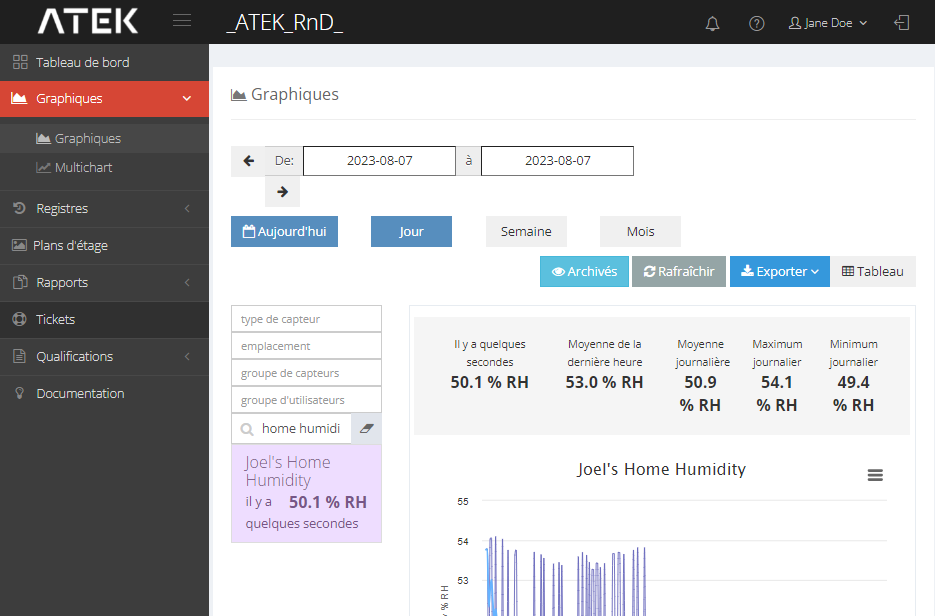
Access the graph of the desired sensor
By clicking on Actions > Charts from the Dashboard
By clicking on Charts > Charts from the left menu
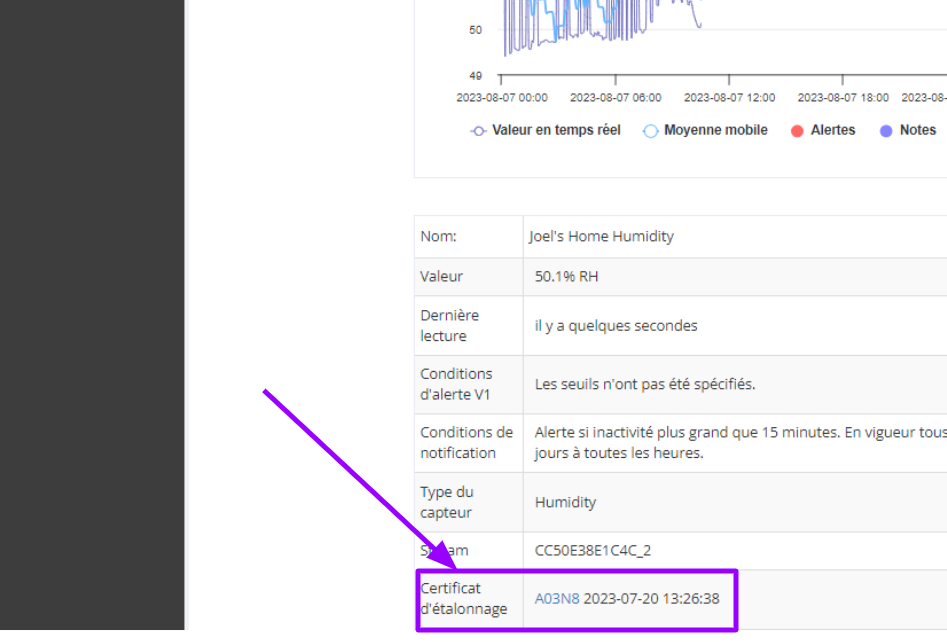
3. Access the certificate
3.1 Scroll down the Charts page to the table row that says “Certificate of_”.
3.2 Click on the 5-character blue underlined alphanumeric code (example: A03N8 )
A window showing the certificate opens.
3.3 (Optional) Click on Print to save it as PDF or print the certificate.
Method 3 : Administration -> Sensor
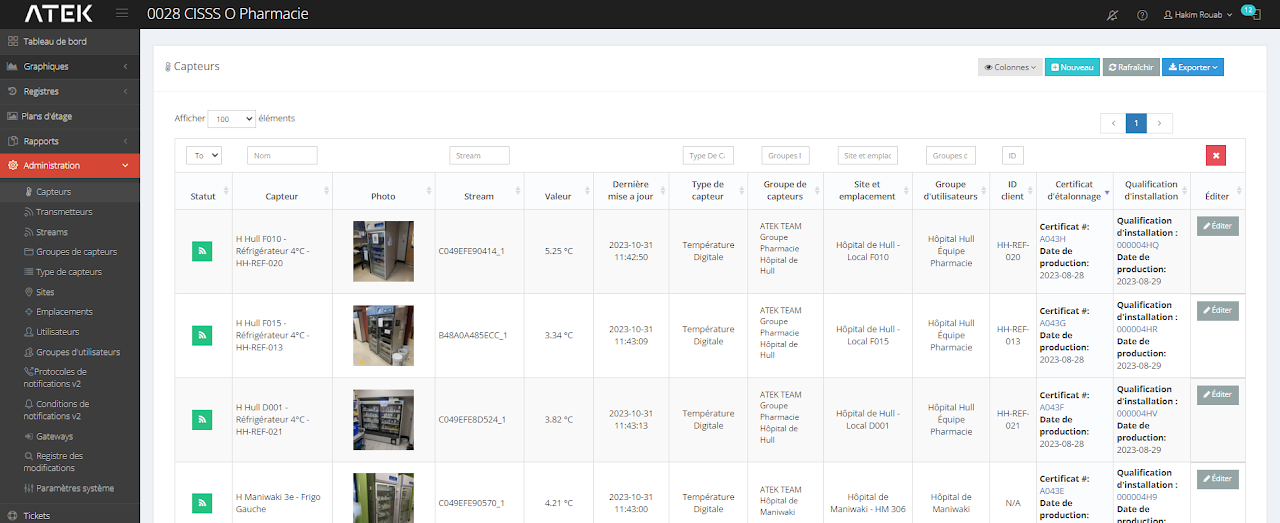
See Calibration Certificate column