When the platform is updated, you may need to clear your web browser’s cache.
There are 2 ways to do this in your browser:
Method #1
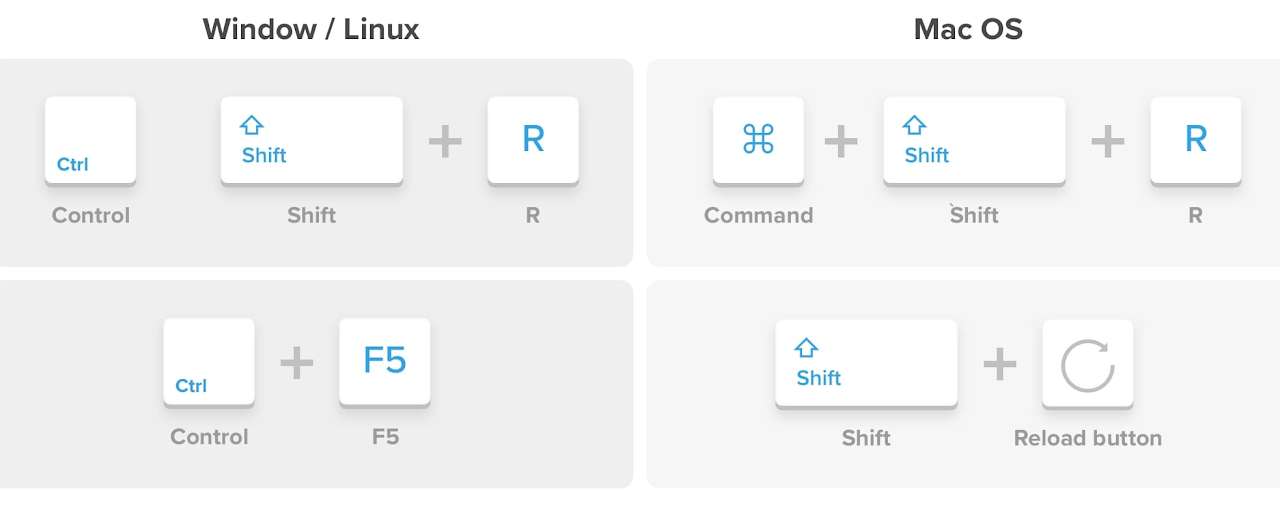
Press Ctrl+F5 or Ctrl+R .
Method #2
-
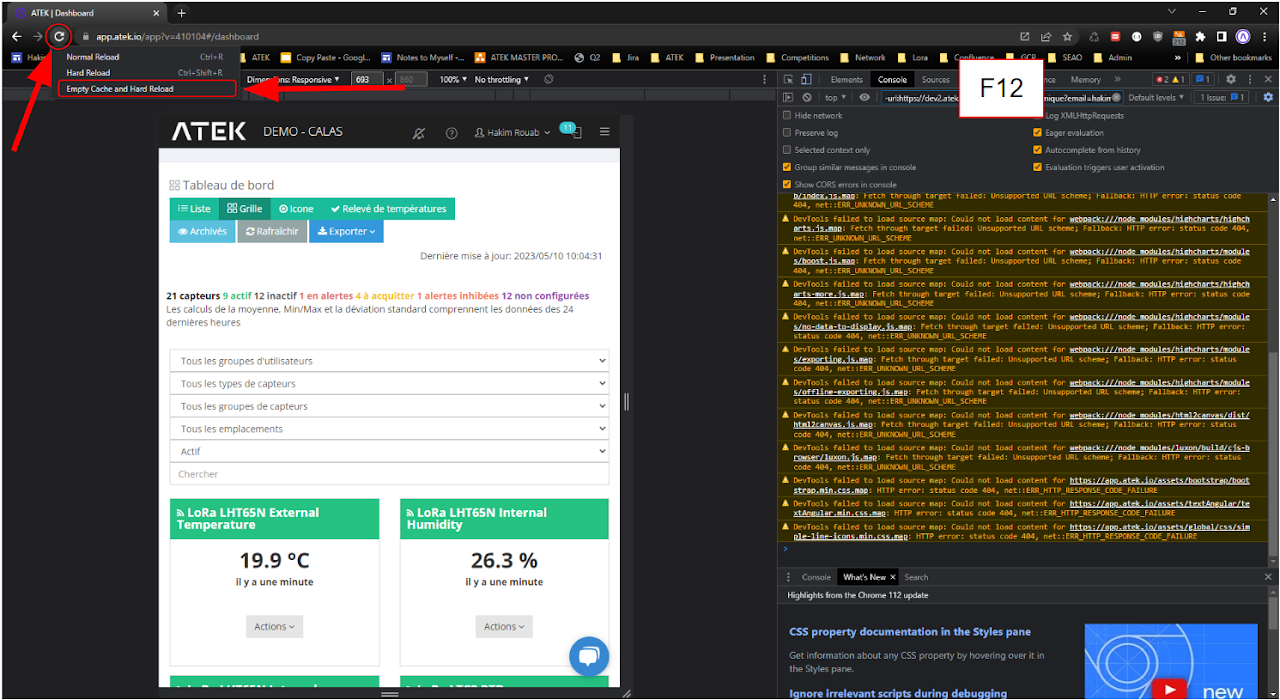
Press F12
-
A new window opens on the right side of the web page.
-
Right- click on the page refresh button.
-
Select Empty Cache and Hard Reload .
Close the window on the right of the screen with F12 .
Imported from Google Sites.