Use
A sensor is only placed in maintenance when the equipment is defective or no longer in service.
Warning
- Do not put in maintenance if the sensor is inactive, because if the sensor is in maintenance when the transmitter reconnects, the data will be ignored by the ATEK platform.
Roles
Only users with the following roles can place equipment under maintenance
-
Group Admin
-
Full Admin
Effects
The action to put in maintenance will have the effect of:
-
Stopping data logging (ignores all new data)
-
Stopping sending threshold alarms
-
Stopping sending inactivity alarms
-
Does not stop low battery alarms
-
Does not stop power loss alarms
-
Adds a note to the notes register with the person’s name, time and date and the associated comment.
Procedures
Put in maintenance
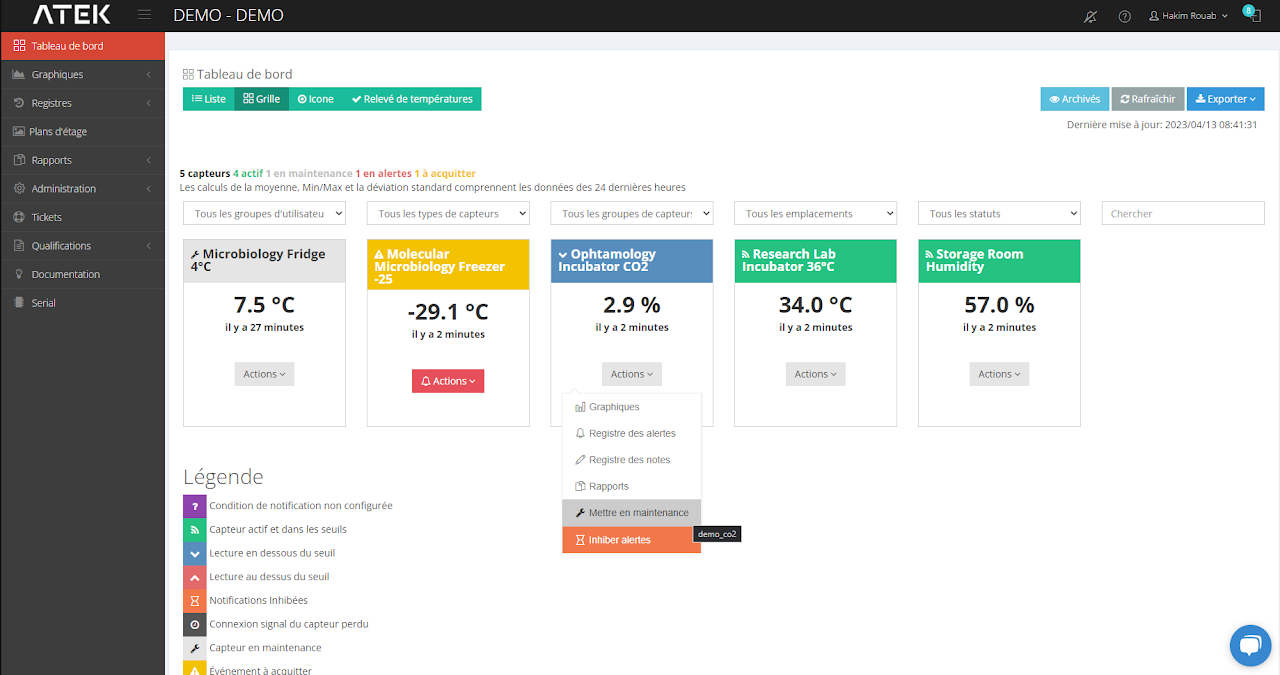
In the dashboard,
Click the Action button, then “ Put into maintenance ”
In the window, add a comment and save.
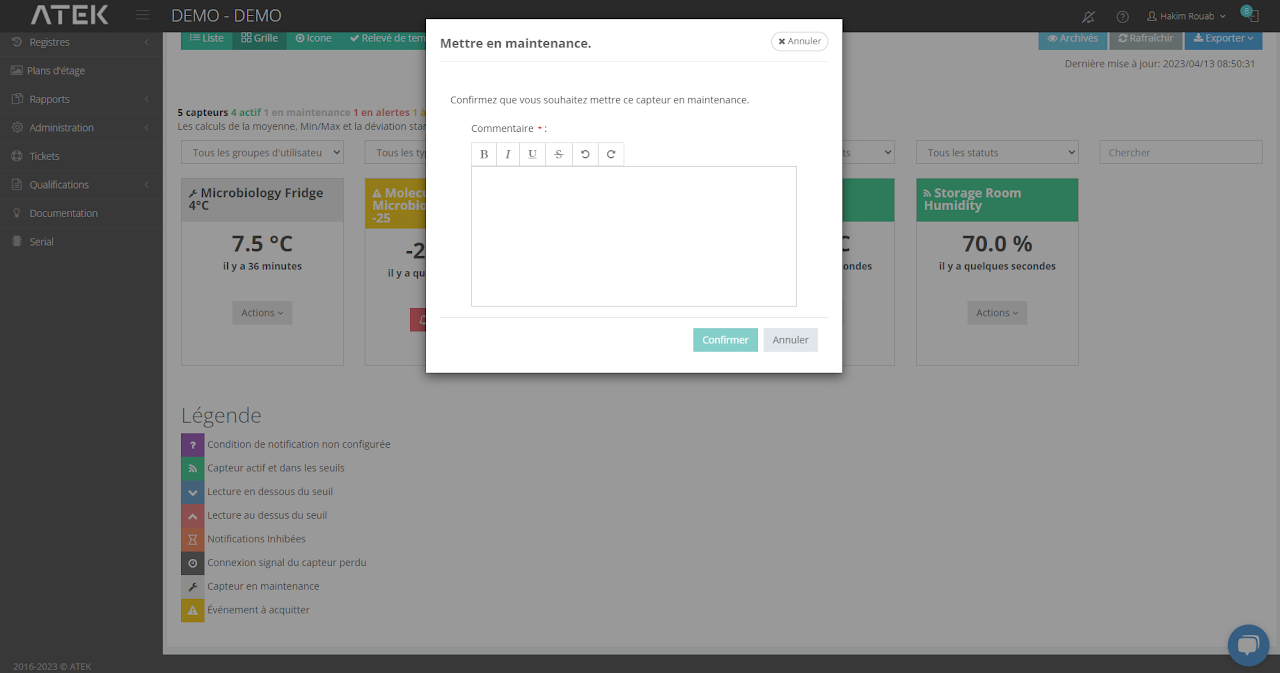
You will need to put a comment which explains why the sensor is put into maintenance then press the confirm button.
Exit maintenance
In the dashboard
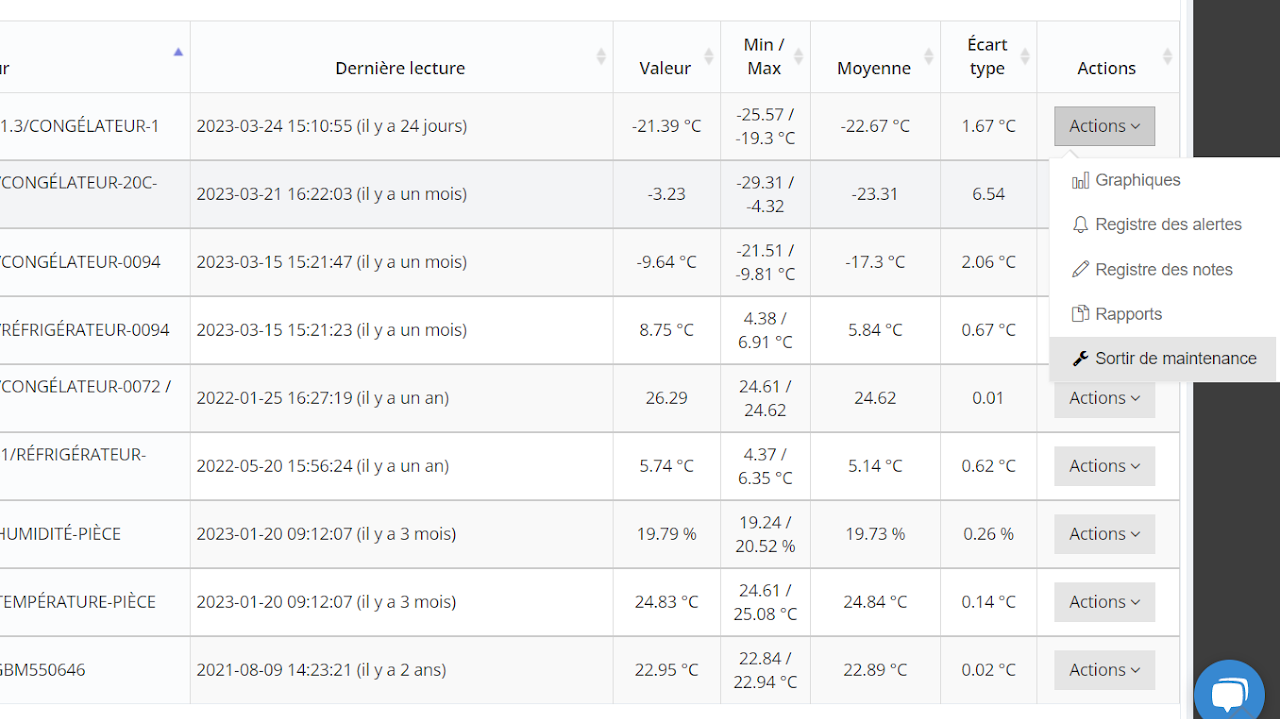
Click on the “Action” button then “ Exit maintenance ”
In the window, add a comment and save.