Taking temperature
In the Dashboard
-
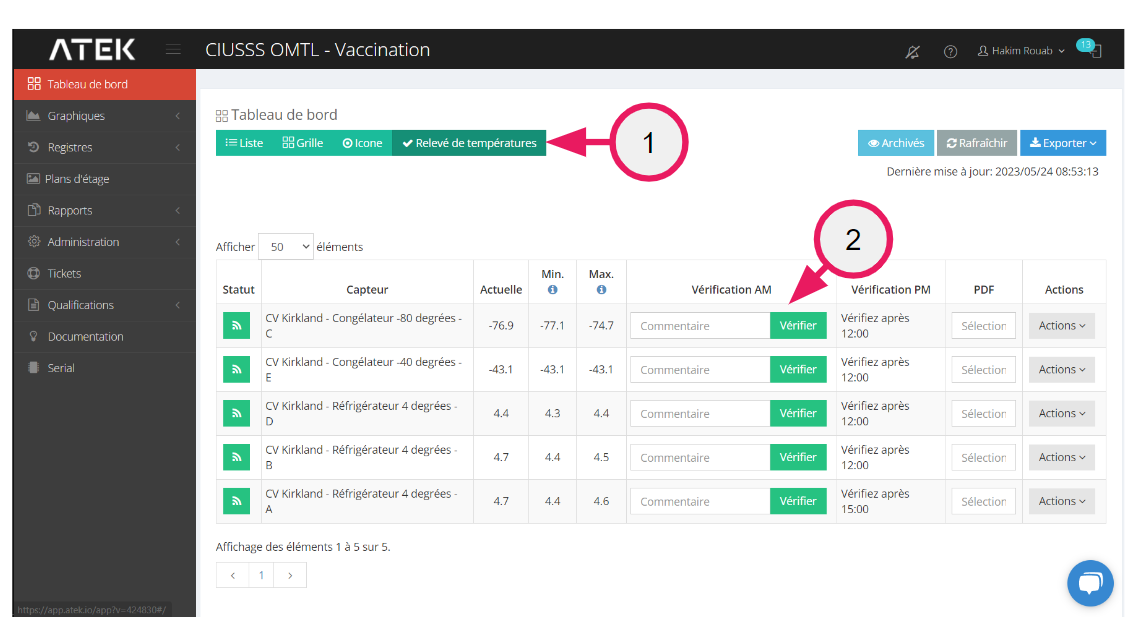
Select the “Temperature reading” view
-
Click “Check”
Your name, time, minimum and maximum since the last check will be recorded
In the event of a cold chain break
In the event that the min or max exceeds one of the configured thresholds, a form will force the user to enter a comment.
Preparation of the report
Current month
In the Dashboard
-
Select the “Temperature reading” view
-
Click on the sensor “Report” button
Previous month
-
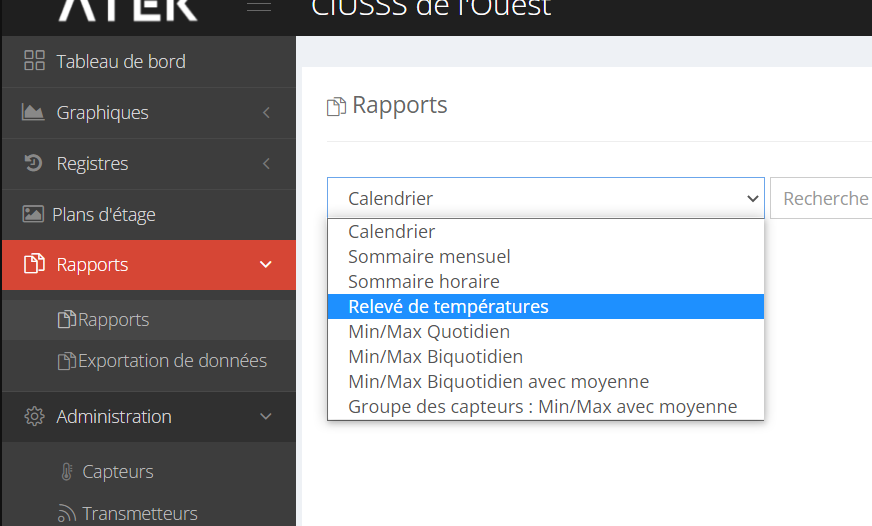
Menu -> Report
-
Select “ Temperature reading ”
-
Select sensor and month
-
Press “Generate Report”
Configuration
Activate the function
-
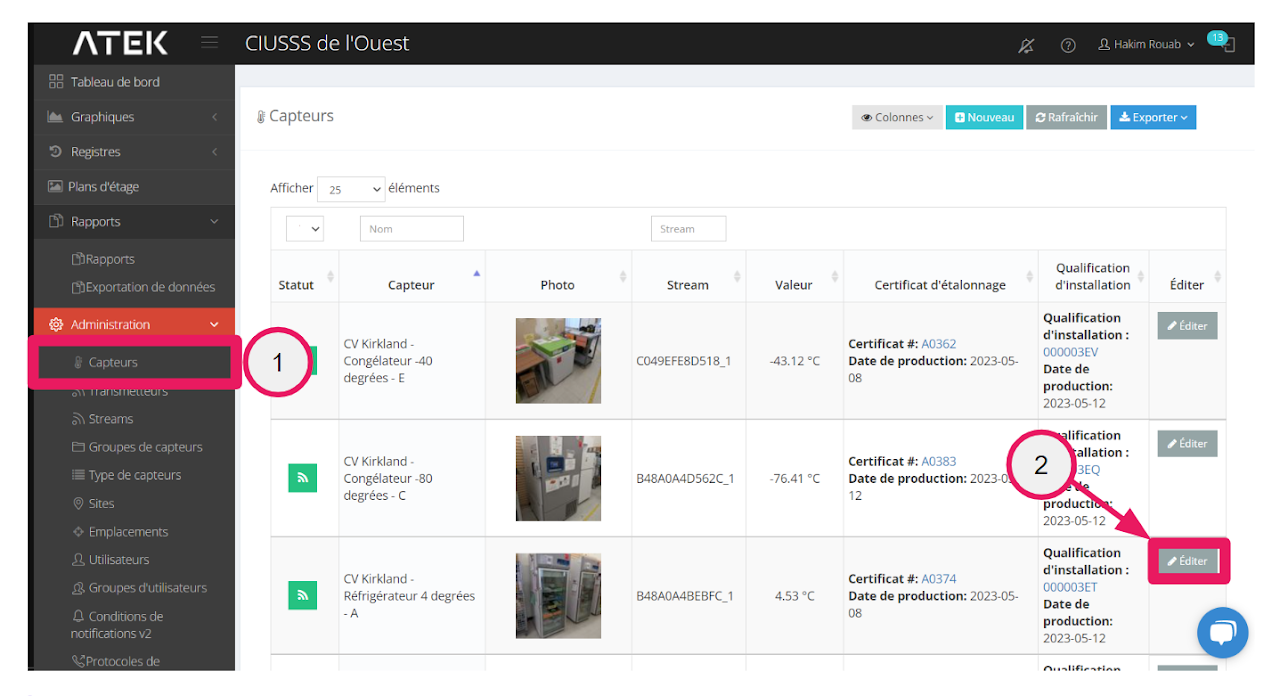
Administration->Sensor
-
Edit
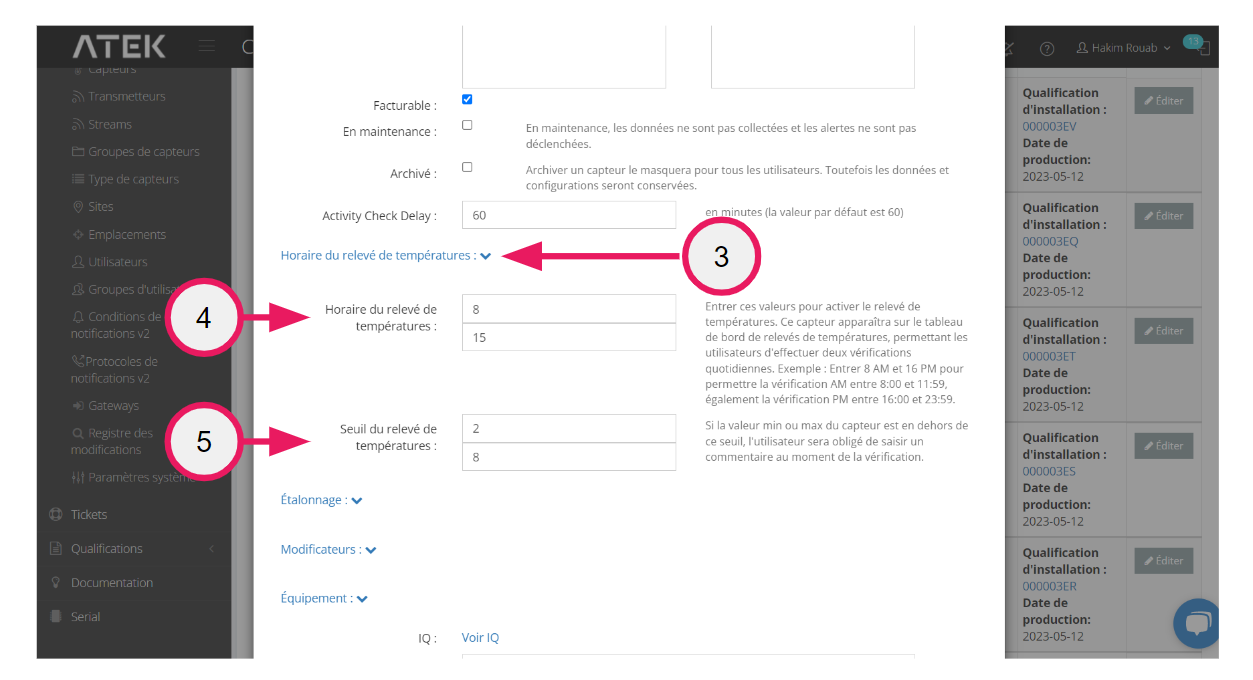
3. Expand the “Temperature reading schedule” section
4. Temperature recording schedule
4.1 Insert the time before noon for the first reading
4.2 Insert the afternoon time for the second reading
5. Insert the cold chain breakage thresholds
6. Save
The sensor is now available in the dashboard for temperature readings